在使用Flash Player 时,它会提示以下报错,此报错和必要的系统组件未能正常运行不一样:

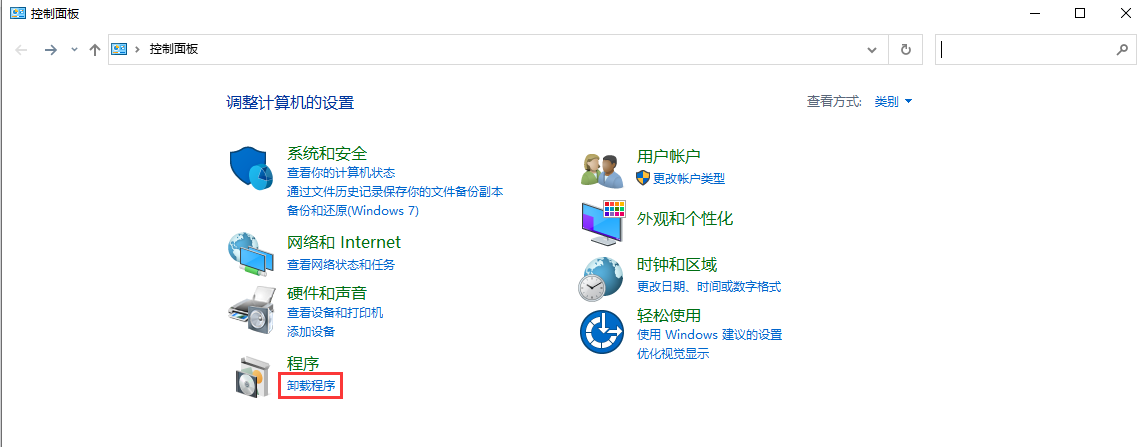
1打开控制面板,点击卸载程序
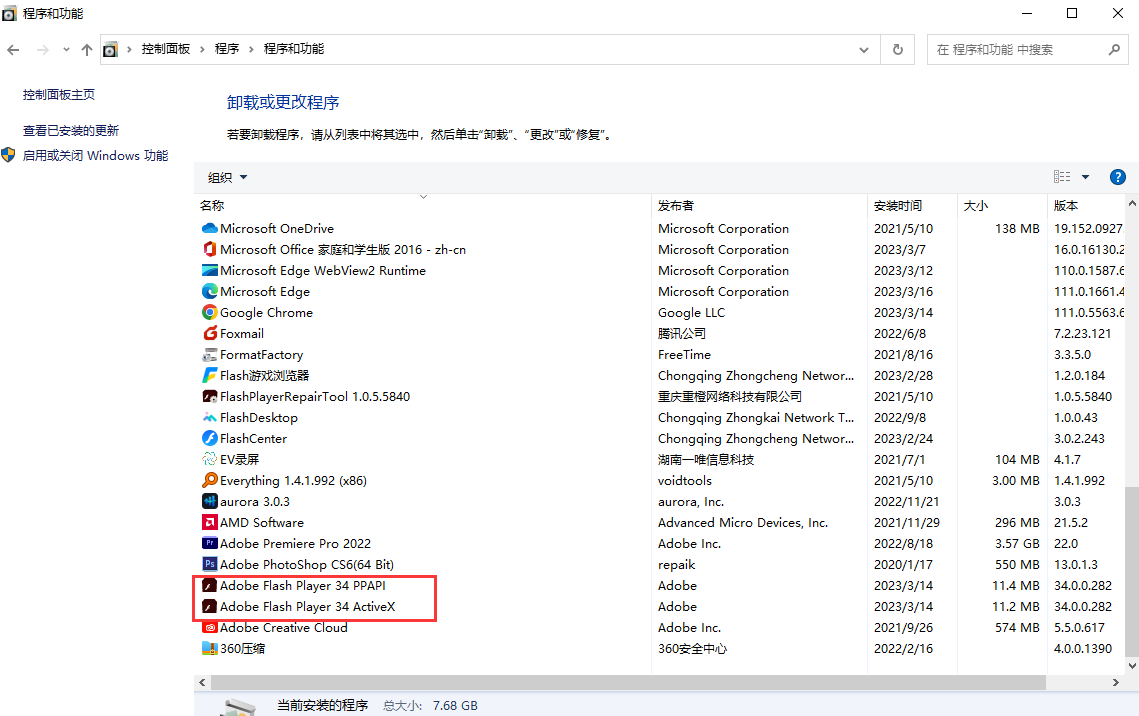
2找到flash player,将其卸载
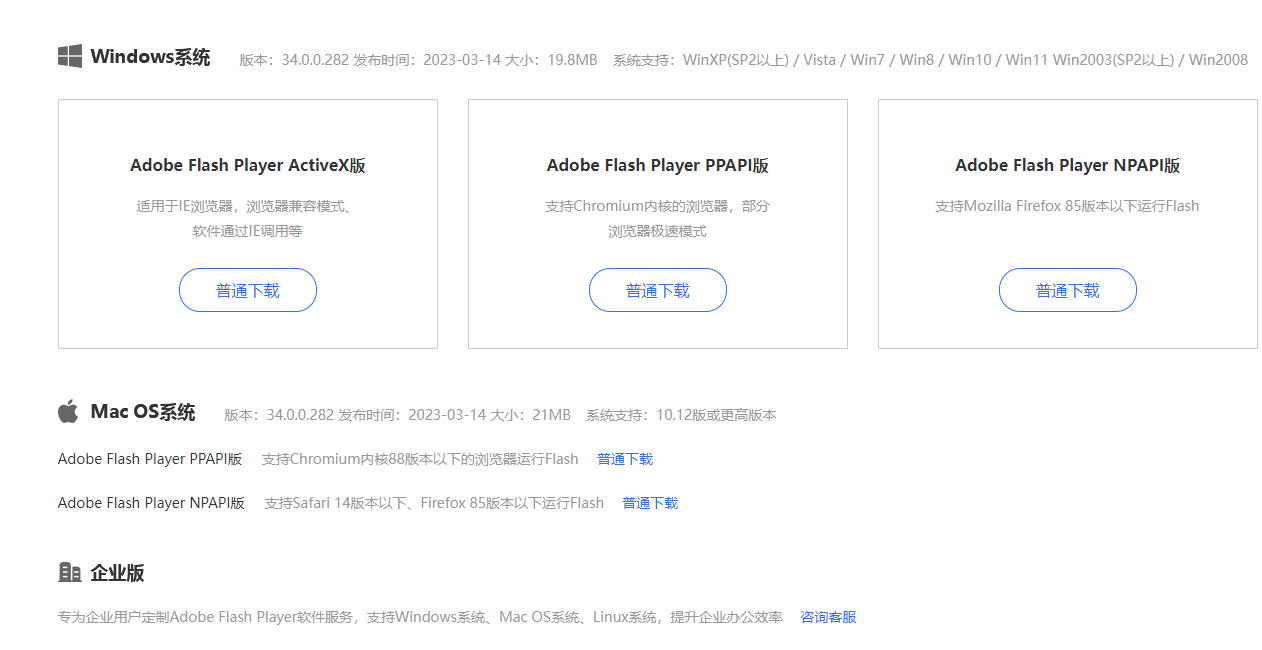
3将flash player卸载后打开https://www.flash.cn/download-wins

4点击普通下载,正常安装后即可解决
在使用Flash Player 时,它会提示以下报错,此报错和必要的系统组件未能正常运行不一样:
1打开控制面板,点击卸载程序
2找到flash player,将其卸载
3将flash player卸载后打开https://www.flash.cn/download-wins
4点击普通下载,正常安装后即可解决

体验移动版
Flash中心